Sheet music for tablets
Your music, open like a book.
Put two or three tablets side by side. Each one shows a page, and they turn together, so you see a whole spread at once on stage. Android, iPad, or both - you're not limited to one platform in this SheetShow.
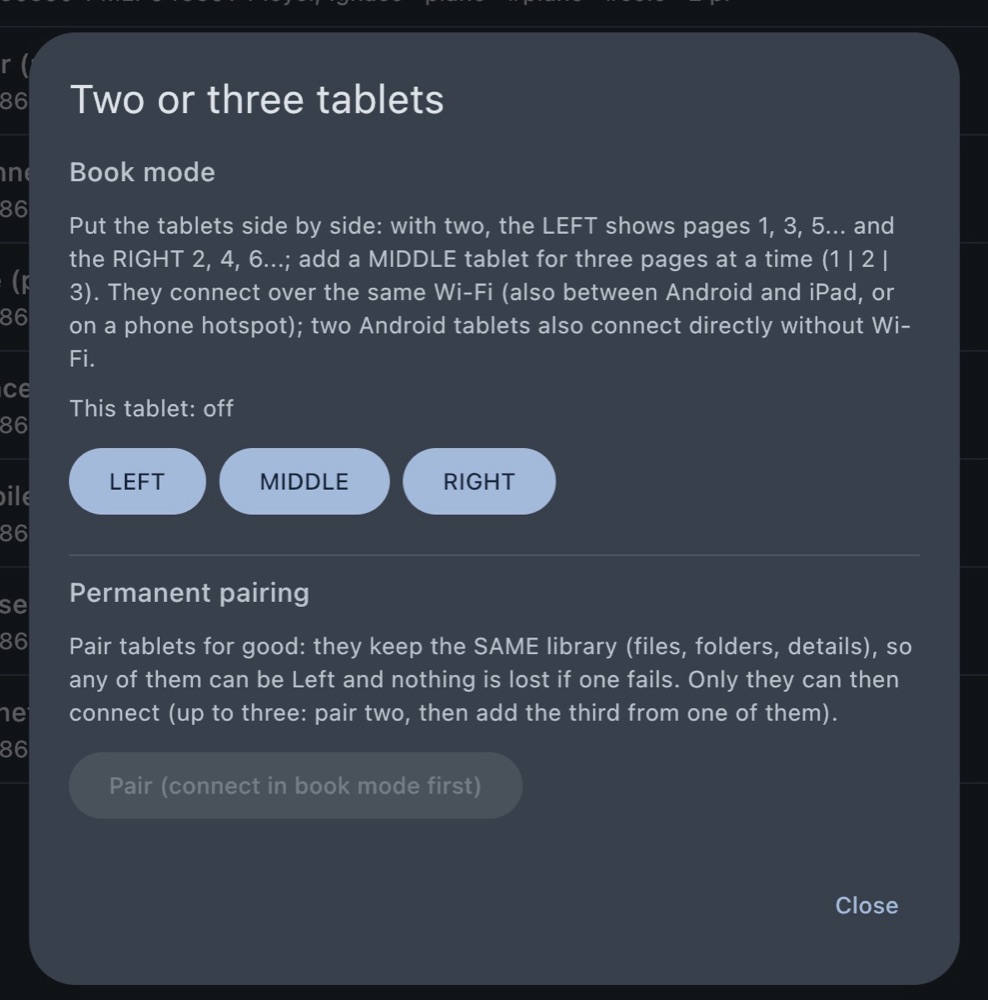
Book mode
Most readers show one page at a time. SheetShow lets your tablets work together, so you turn half as often and always see what comes next.
Pick a place for each tablet
Left, middle or right. With two tablets you see pages 1 and 2; with three, pages 1, 2 and 3.
Turn pages on either one
Tap or swipe on any tablet and they all move to the next spread together. Every file starts on the left tablet.
Keep playing if one drops out
If a tablet goes away, the others carry on with single pages, and the spread comes back by itself when it reconnects.
Screenshots
A look at SheetShow on Android tablets and iPad.
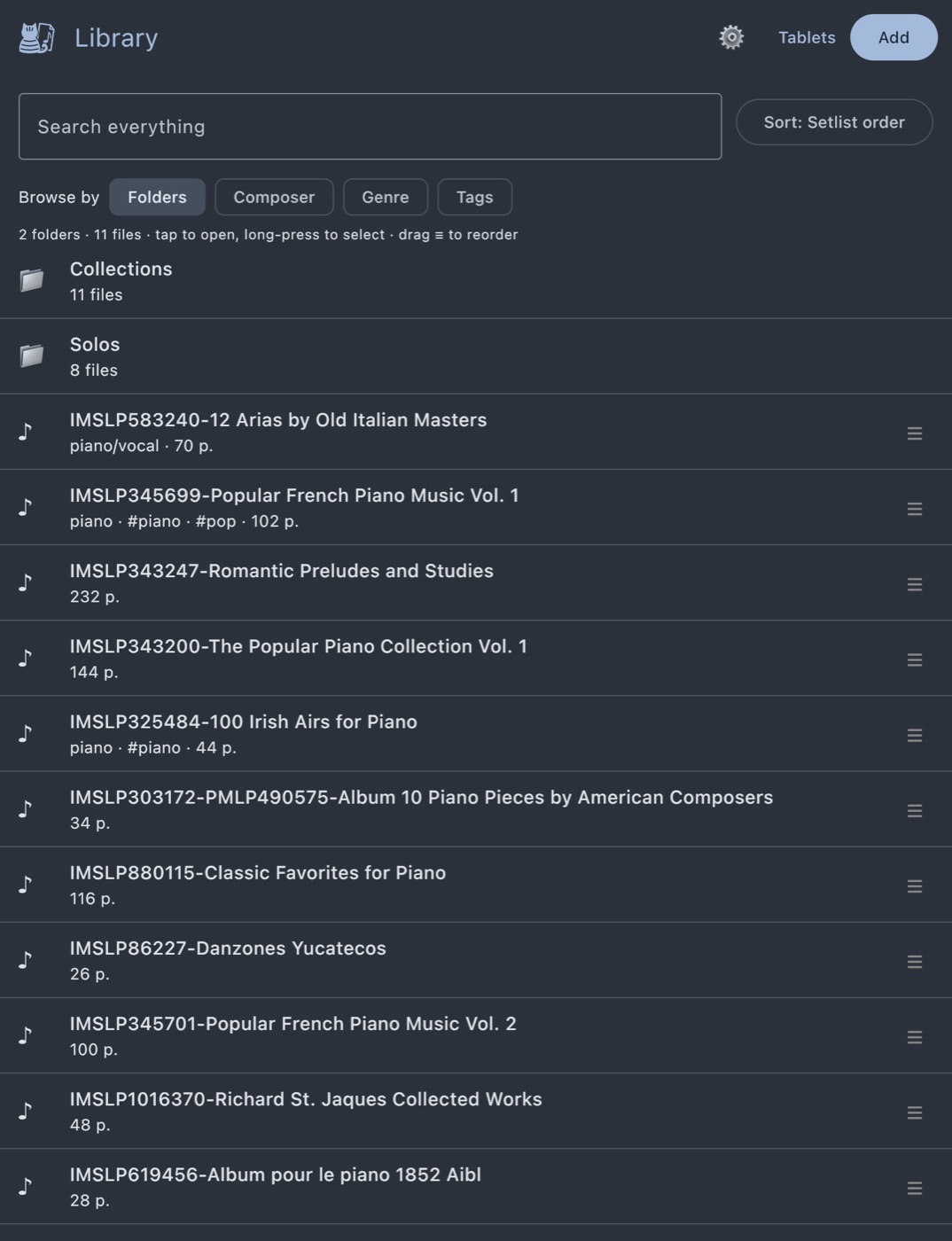
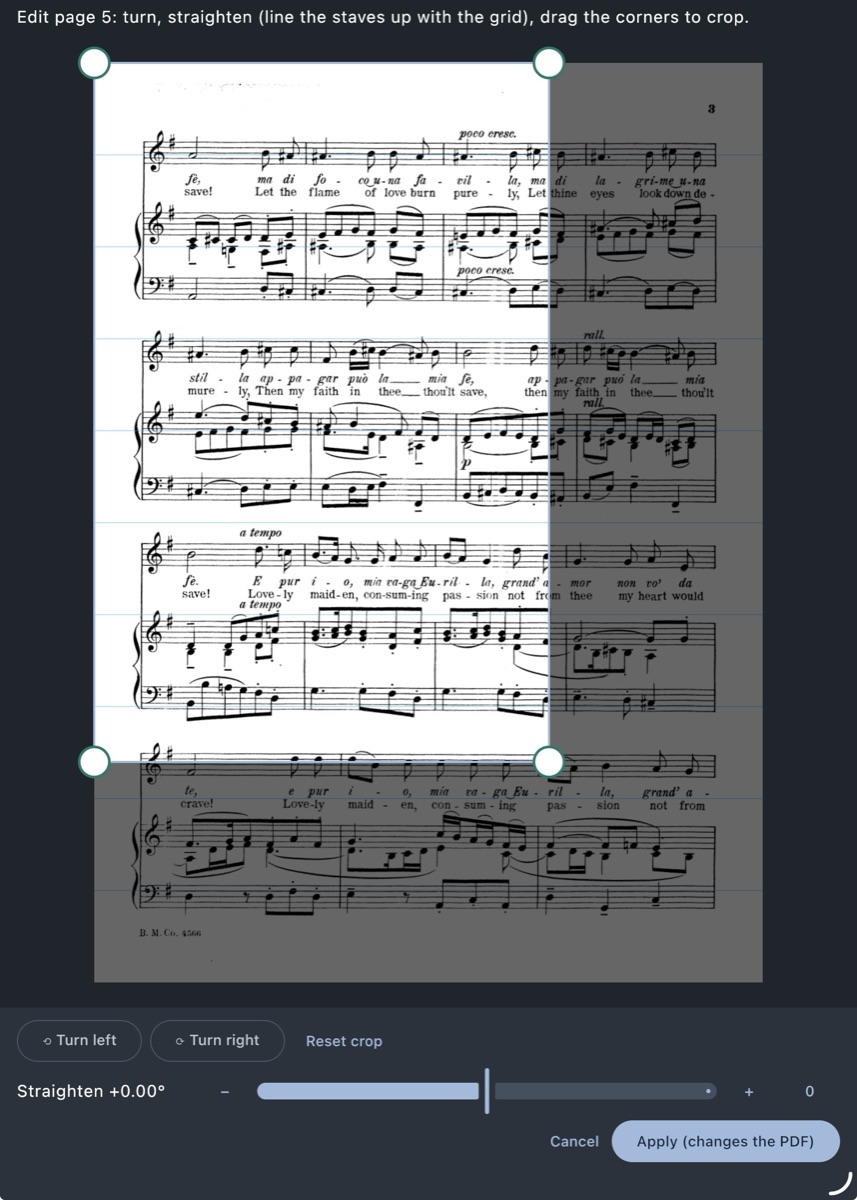
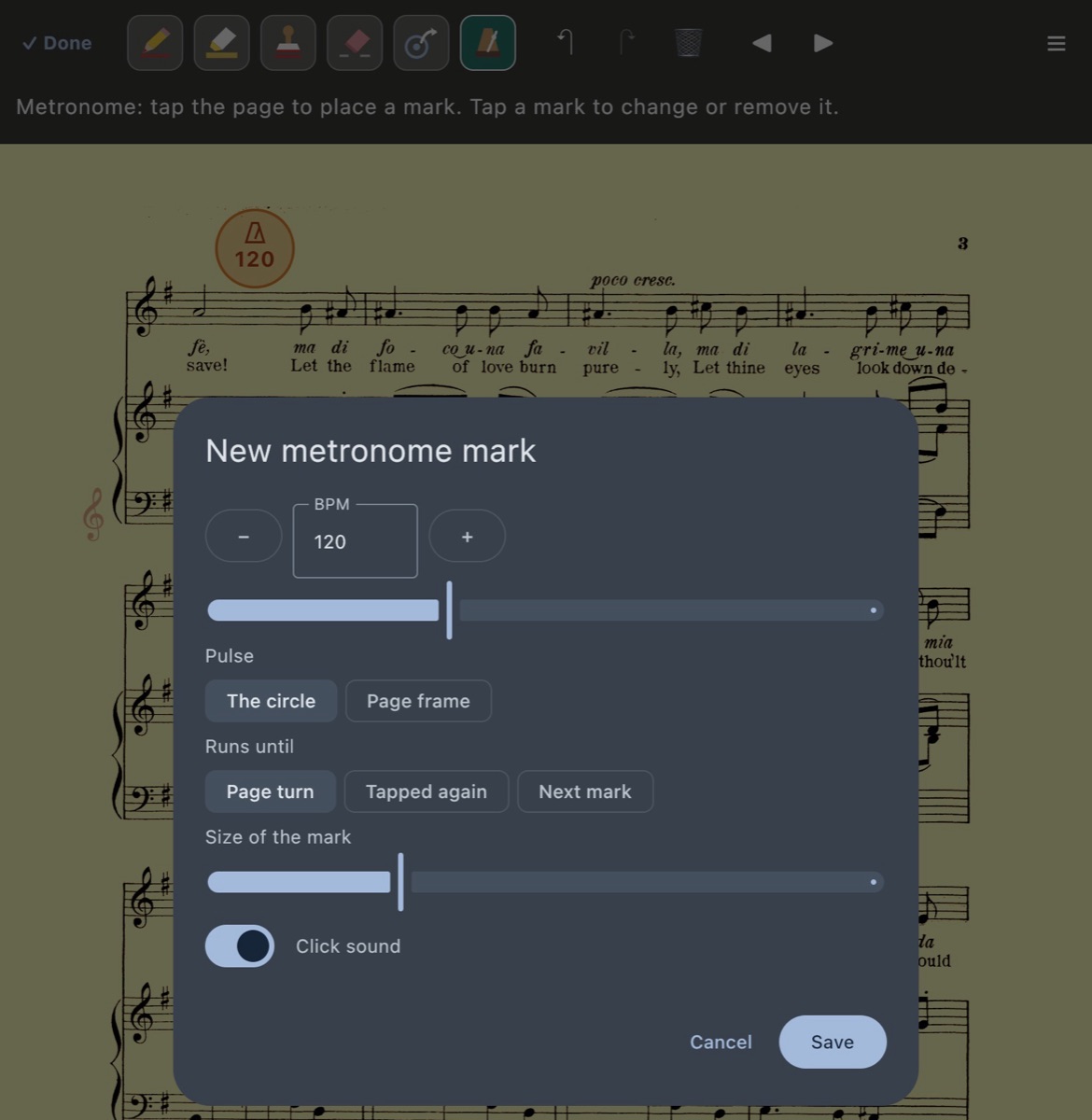
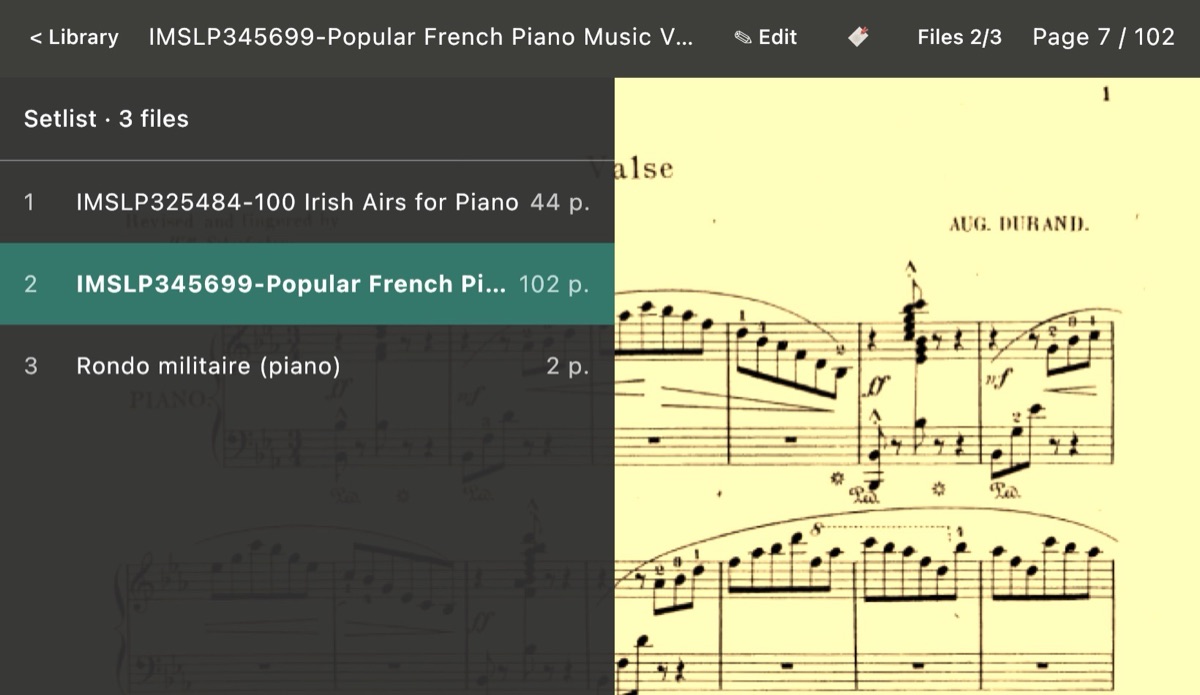

Current features
What SheetShow does today: a library, a reader for live performance, and tools for marking up your parts. More is on the way.
Library and setlists
Folders work like setlists: put your files in order and play straight through. Add composer, key, year, genre, arrangement and tags; search, sort, and browse by composer, genre or tag.
Notes on the page
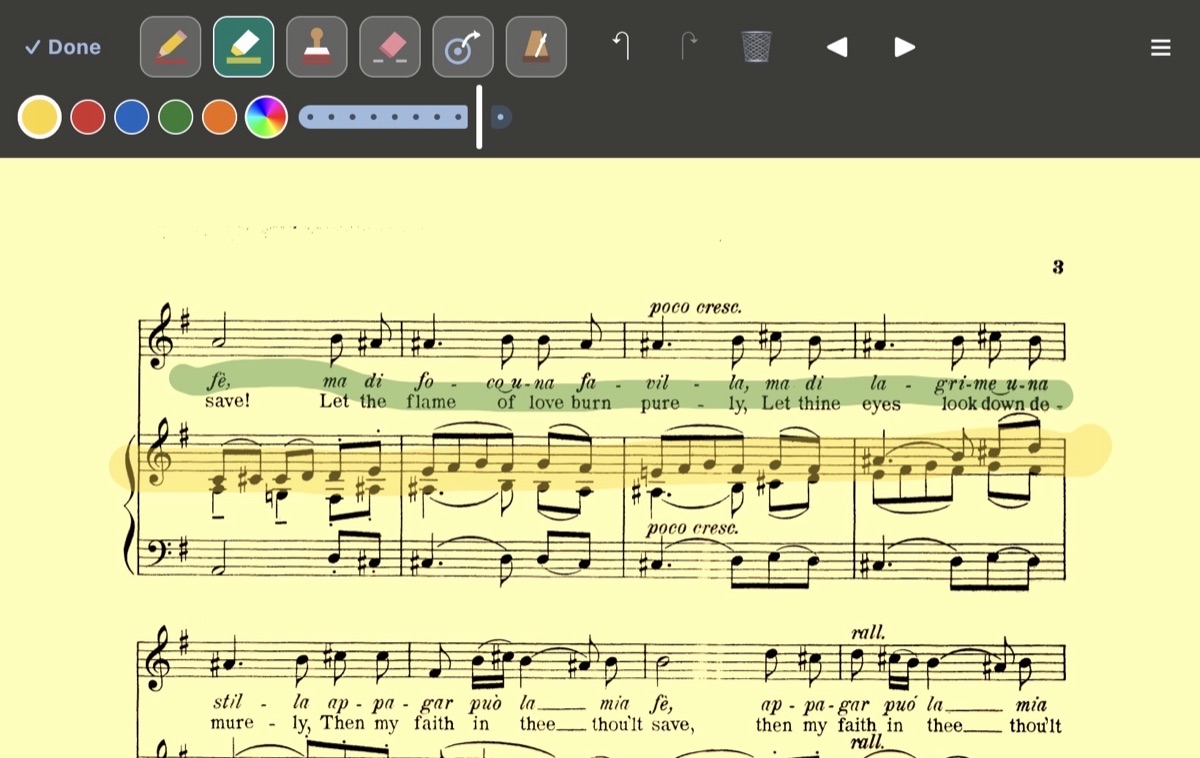
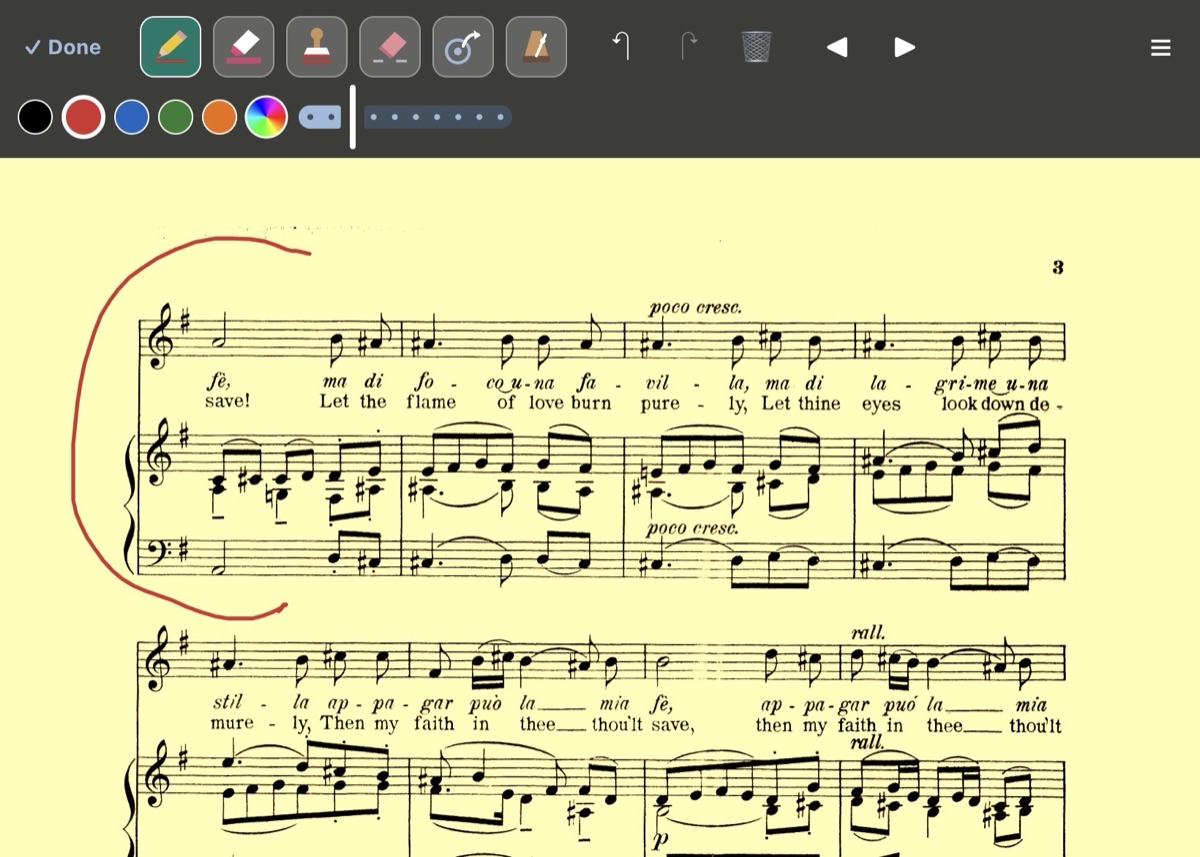
Pen, highlighter and an eraser that removes just the part you rub over. Keep your favorite colors one tap away, or mix any color. Cover up parts of a page with a blocking rectangle. Undo and redo. Your notes never change the original PDF.
Stamps
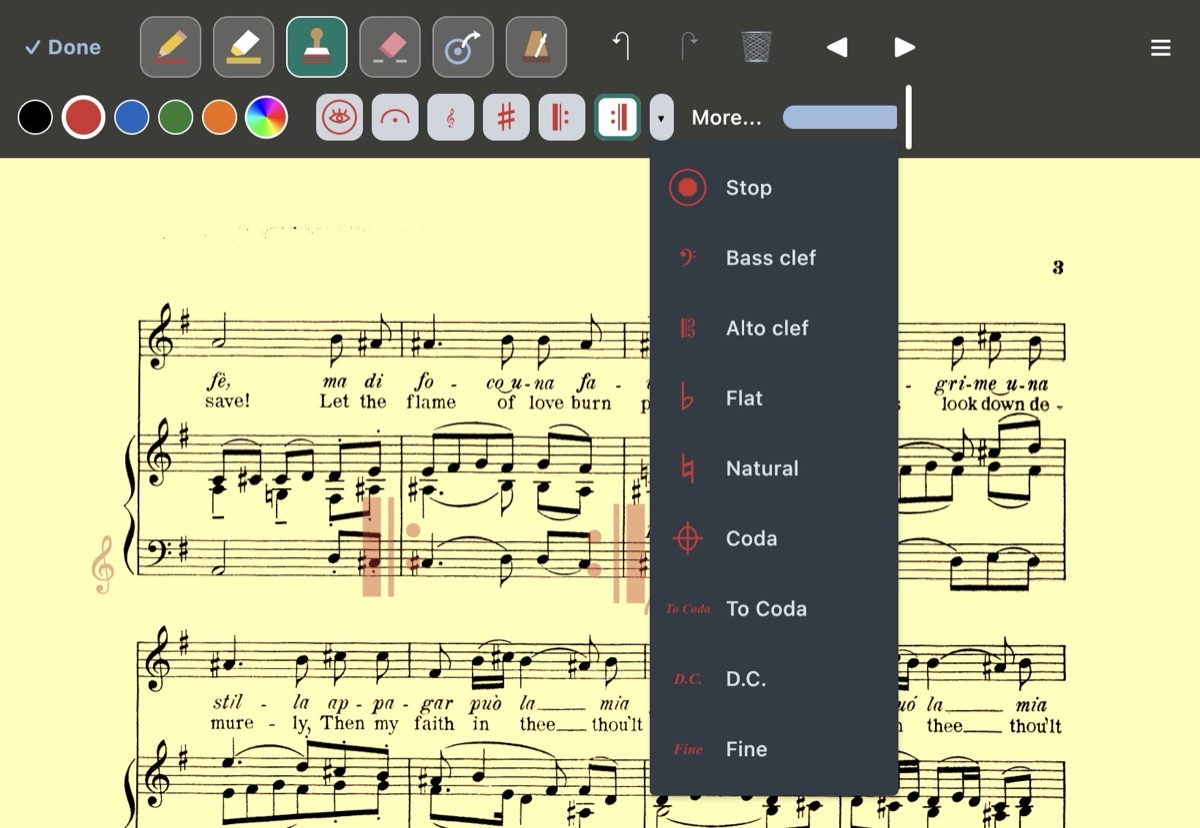
A full set of music stamps: dynamics from ppp to fff, accents and bowings, fermatas, tempo words, ornaments, clefs, accidentals, repeats, segno and coda. Add a blank staff to write your own music. Put your favorites in the toolbar and pick the size.
Bookmarks and shortcuts
Bookmark pages in a setlist, and link a repeat or coda to where it goes with a tap-to-jump circle, with an optional jump back.
Metronome marks
Place a tempo on the page. Tap it to see the beat flash, with an optional click, and choose whether it stops at the page turn or the next mark.
Edit your pages
Reorder, delete, copy and paste pages, even between files, and add blank ones. Turn, straighten and crop crooked scans, and clean up faint ones with whiter paper and darker notes. Choose whether an edit changes every copy or just one. Your notes follow their pages.
Scan with the camera
Photograph a paper part and it becomes a PDF in your library, pages in order. Add its details as you save it.
Bring your library along
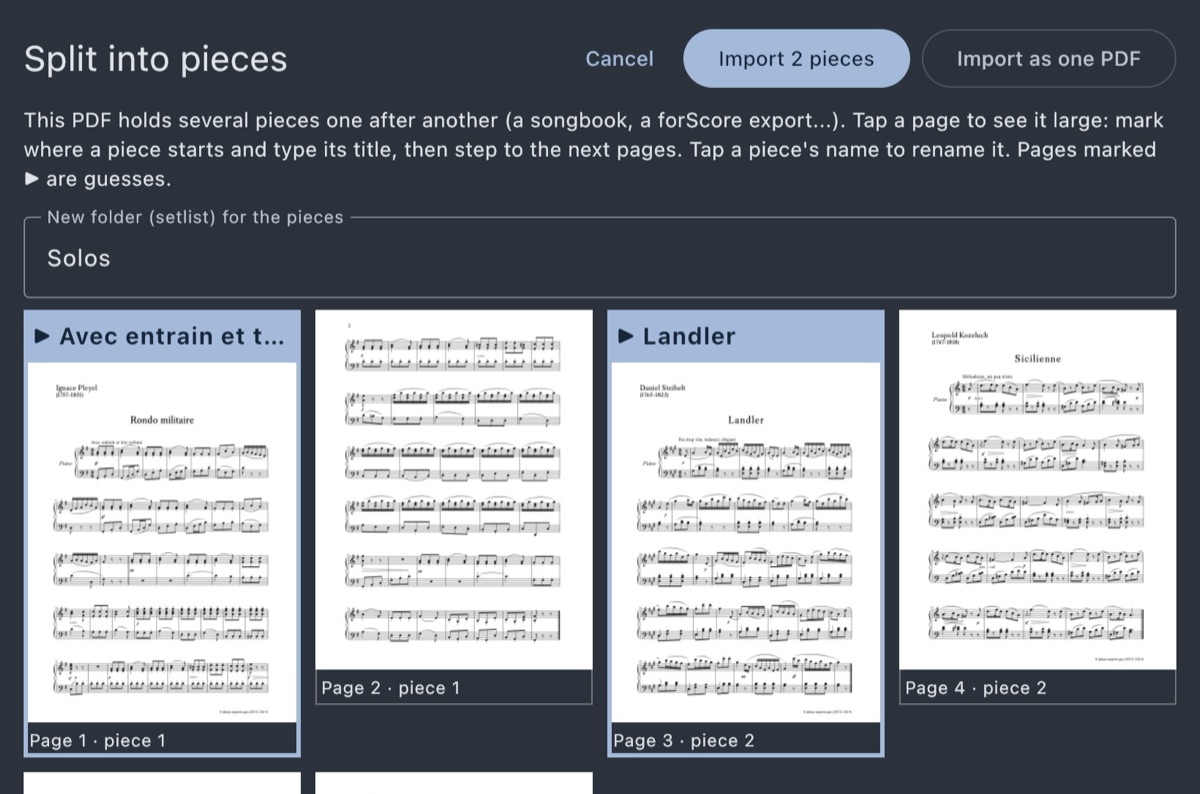
Import backups from MobileSheets and Obbligato, and split a combined PDF or a whole songbook into separate files.
Export
Save files or whole setlists as PDFs, with your notes included or left out.
Sync between your tablets
Sync your tablets once and your library, setlists and notes stay the same on all of them, directly over your Wi-Fi. No account, no cloud.
Android, iPad and iPhone
Mix and match: Android tablets, iPads and iPhones can share a library, and tablets can play in book mode together.
Private by design
No sign-up, no ads, no tracking. Your music stays on your tablets. Privacy policy

Try it now
SheetShow is in testing now, and anyone can join the beta: on Android tablets through Google Play, or on iPad and iPhone through TestFlight. The App Store and Google Play releases are coming soon.